Building a REST API with Spring Boot
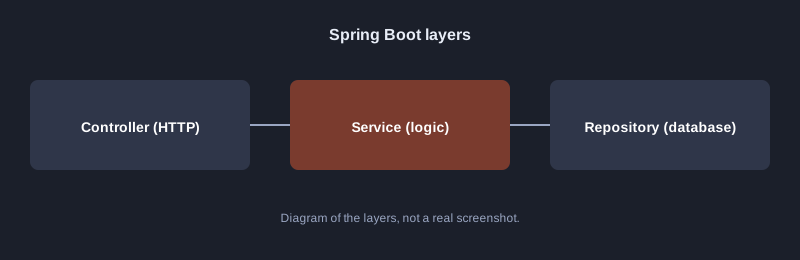
Spring Boot is a Java framework that gets a server project running quickly. Most defaults are configured for you: an embedded Tomcat server, database access and JSON conversion. This article builds a small REST API in three layers: Controller, Service and Repository.
Testing note: the computer used to write this article does not have Maven or Gradle, and downloading Spring libraries has not been tested here. The code below is the standard pattern. Run it yourself and check the result before using it for real.
What you need
- JDK 17 or newer
- Maven or Gradle
- VS Code with the Spring Boot extension, or IntelliJ IDEA
The three layers
Step 1: create the project
Go to https://start.spring.io, choose Maven and Java 17, add the Spring Web and Spring Data JPA dependencies, then generate and unzip the project.
Step 2: the data class
package com.example.demo;

import jakarta.persistence.*;

@Entity
public class Note {
    @Id
    @GeneratedValue
    private Long id;
    private String title;

    public Note() {}
    public Note(String title) { this.title = title; }

    public Long getId() { return id; }
    public String getTitle() { return title; }
    public void setTitle(String title) { this.title = title; }
}
Step 3: the repository
package com.example.demo;

import org.springframework.data.jpa.repository.JpaRepository;

public interface NoteRepository extends JpaRepository<Note, Long> {
}
Spring Data provides basic methods such as `findAll`, `save` and `deleteById` automatically through `JpaRepository`.
Step 4: the service
package com.example.demo;

import org.springframework.stereotype.Service;
import java.util.List;

@Service
public class NoteService {
    private final NoteRepository repository;

    public NoteService(NoteRepository repository) {
        this.repository = repository;
    }

    public List<Note> all() {
        return repository.findAll();
    }

    public Note create(String title) {
        return repository.save(new Note(title));
    }
}
Step 5: the controller
package com.example.demo;

import org.springframework.web.bind.annotation.*;
import java.util.List;

@RestController
@RequestMapping("/api/notes")
public class NoteController {
    private final NoteService service;

    public NoteController(NoteService service) {
        this.service = service;
    }

    @GetMapping
    public List<Note> list() {
        return service.all();
    }

    @PostMapping
    public Note create(@RequestBody Note body) {
        return service.create(body.getTitle());
    }
}
Step 6: run and test
./mvnw spring-boot:run
Test with curl:
curl -X POST http://localhost:8080/api/notes -H "Content-Type: application/json" -d "{\"title\":\"ซื้อกาแฟ\"}"
curl http://localhost:8080/api/notes
Common mistakes
- **Package names do not match the folder structure:** Spring finds classes from the main package, so put your classes under the same package as the class annotated `@SpringBootApplication`.
- **No database driver added:** the connection will fail. Add the driver and configure `application.properties`.
- **Invalid input saved without checks:** use Bean Validation to check data before saving.
Next steps
Add input validation, centralise error handling with `@ControllerAdvice`, and test the service with JUnit.
Summary
Spring Boot organises a REST API in three layers. The Controller receives requests, the Service holds the logic, and the Repository talks to the database. This separation makes the code easier to test and maintain.