Node.js from Scratch
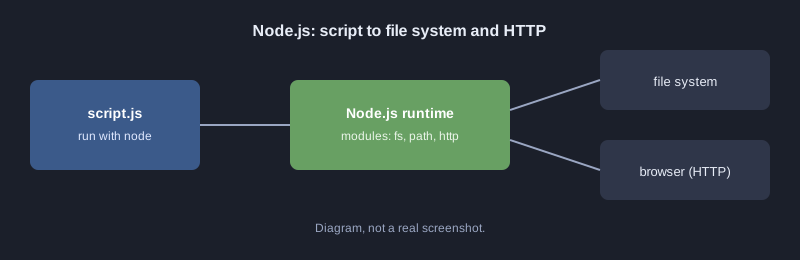
Node.js runs JavaScript outside the browser, on your computer and on servers. You can use one language on both the front end and the back end. Node.js uses non-blocking I/O, which suits network work and APIs. This article runs a first script, reads and writes files with the standard modules, and builds a small HTTP server that replies with JSON.
Every example here was run with Node.js and the output shown is real.
What you need
- Node.js 18 or newer (check with `node --version`)
- A text editor such as VS Code
How it works
Your first script
Create `hello.js` and run it with `node hello.js`:
console.log("สวัสดี Node.js");
Modules and reading and writing files
Node.js ships with standard modules such as `fs` for files and `path` for paths. This example writes a JSON file and reads it back.
const http = require("http");
const path = require("path");
const fs = require("fs");

// โมดูลและฟังก์ชัน
function grade(score) {
  if (score >= 80) return "A";
  if (score >= 70) return "B";
  if (score >= 50) return "C";
  return "F";
}

const students = [
  { name: "สมชาย", score: 85 },
  { name: "สมหญิง", score: 72 },
  { name: "สมศักดิ์", score: 45 },
];

// เขียนไฟล์แล้วอ่านกลับมา
const file = path.join(__dirname, "grades.json");
fs.writeFileSync(file, JSON.stringify(students.map(s => ({ ...s, grade: grade(s.score) })), null, 2));
const data = JSON.parse(fs.readFileSync(file, "utf8"));
console.log("สวัสดี Node.js", data.length, "คน");
console.log(data.map(d => `${d.name}: ${d.grade}`).join("\n"));

// เซิร์ฟเวอร์ HTTP ขนาดเล็ก ตอบ JSON แล้วปิดตัวเองหลังตอบ 1 ครั้ง (สำหรับทดสอบ)
const server = http.createServer((req, res) => {
  res.writeHead(200, { "Content-Type": "application/json; charset=utf-8" });
  res.end(JSON.stringify({ message: "สวัสดีจาก Node.js", count: data.length }));
  server.close();
});
server.listen(3100, () => console.log("server listening on http://localhost:3100"));
Real output (run the script, then send a request with curl to `http://localhost:3100/`):
สวัสดี Node.js 3 คน
สมชาย: A
สมหญิง: B
สมศักดิ์: F
server listening on http://localhost:3100
{"message":"สวัสดีจาก Node.js","count":3}
Things to notice:
- `require` loads a module, and `__dirname` is the folder of the script.
- `fs.writeFileSync` and `fs.readFileSync` are synchronous and block until finished. That is fine for small scripts, but servers should use the asynchronous versions such as `fs.promises.readFile`.
- The callback passed to `http.createServer` runs each time a request arrives.
Promises and async/await
Asynchronous file access lets the program keep running while it waits. This example uses `async/await` so the code reads in order:
const fs = require("fs/promises");

async function main() {
  await fs.writeFile("note.txt", "บันทึกจาก Node.js");
  const text = await fs.readFile("note.txt", "utf8");
  console.log("อ่านได้:", text);
}

main().catch(err => console.error("เกิดข้อผิดพลาด:", err.message));
Common mistakes
- **Port already in use:** change the port number, or stop the program already using it.
- **Forgetting `await` on a Promise:** you get the Promise itself, not its result.
- **Using `require` in an ES Module file without setup:** check the module type in `package.json`.
- **Not handling errors:** use `try/catch` or `.catch` so the program can report the cause.
Next steps
Build an API that stores a to-do list in a JSON file, then move on to Express or Fastify, two popular frameworks for Node.js.
Summary
Node.js brings JavaScript to the server. Standard modules handle files and networking, and async/await keeps concurrent code readable.