JavaScript from Scratch
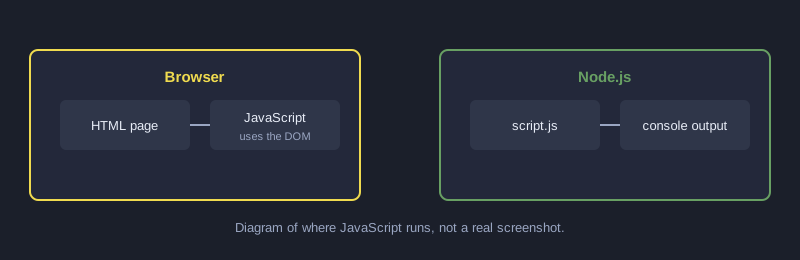
JavaScript makes web pages respond to users. Every browser runs it without installing anything, and it also runs on servers through Node.js. This article starts with variables and functions, moves to working with arrays, and then shows how to change a web page.
Every example outside the DOM section was run with Node.js and the output shown is real. The DOM section must be tested in a browser.
What you need
- Any web browser (press F12 and open the Console tab to try commands)
- Or Node.js 18 or newer to run `.js` files on your computer
How it works
Variables
Use `const` for values that do not change, and `let` for values that do.
const schoolName = "โรงเรียนตัวอย่าง";
let count = 0;
count = count + 1;
console.log(schoolName, count);
Functions
function grade(score) {
  if (score >= 80) return "A";
  if (score >= 70) return "B";
  if (score >= 50) return "C";
  return "F";
}
A function takes input, does work and returns a value with `return`. The `if` statements are checked in order, and the first true condition runs.
Arrays with map, reduce and forEach
const students = [
  { name: "สมชาย", score: 85 },
  { name: "สมหญิง", score: 72 },
  { name: "สมศักดิ์", score: 45 },
];

function grade(score) {
  if (score >= 80) return "A";
  if (score >= 70) return "B";
  if (score >= 50) return "C";
  return "F";
}

const grades = students.map(s => `${s.name}: ${grade(s.score)}`);
const average = students.reduce((sum, s) => sum + s.score, 0) / students.length;

console.log("สวัสดี JavaScript");
grades.forEach(line => console.log(line));
console.log("คะแนนเฉลี่ย:", average.toFixed(2));
Real output:
สวัสดี JavaScript
สมชาย: A
สมหญิง: B
สมศักดิ์: F
คะแนนเฉลี่ย: 67.33
- `map` builds a new array by transforming each item.
- `reduce` combines all items into one value.
- `forEach` runs a function on each item without creating a new array.
- `toFixed(2)` rounds the number to two decimal places for display.
Working with the page (DOM)
In the browser, JavaScript reads and changes the page through the DOM. This example changes text when a button is clicked:
<p id="message">ยังไม่ได้กด</p>
<button id="btn">กดฉัน</button>
<script>
  const message = document.getElementById("message");
  document.getElementById("btn").addEventListener("click", () => {
    message.textContent = "กดแล้ว!";
  });
</script>
Save it as an `.html` file and open it in a browser. Click the button and the text changes.
Common mistakes
- **Using `=` instead of `===`:** `===` compares both value and type, so prefer it.
- **Forgetting that `const` cannot be reassigned:** use `let` if the value must change.
- **Using DOM elements before the page loads:** place the script at the end of `<body>` or use `defer`.
Next steps
Extend the DOM example with an input box that calculates the grade as you type, then learn `fetch` to load data from a server.
Summary
JavaScript builds on variables, functions and arrays, and works with pages through the DOM and events. Practising with short examples that run is the fastest way to learn it.