Node.js 从零开始
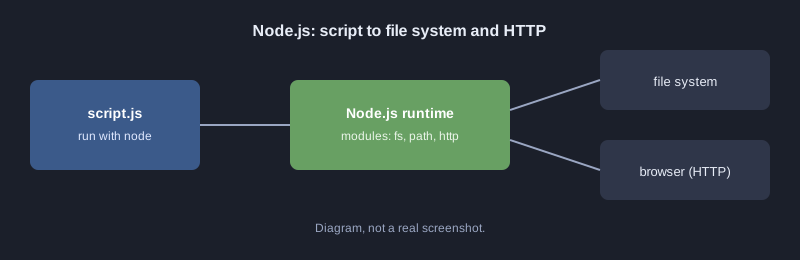
Node.js 让 JavaScript 可以在浏览器之外运行,在电脑和服务器上都能执行。前端与后端可以使用同一种语言。Node.js 采用非阻塞 I/O,适合网络操作和 API。本文将运行第一个脚本,使用标准模块读写文件,并构建一个返回 JSON 的小型 HTTP 服务器。
本文所有示例都使用 Node.js 运行,展示的输出为真实结果。
需要准备的东西
- Node.js 18 或更新版本(用 `node --version` 检查)
- VS Code 等文本编辑器
工作原理
第一个脚本
创建 `hello.js`,并用 `node hello.js` 运行:
console.log("สวัสดี Node.js");
模块与读写文件
Node.js 自带 `fs`(文件)、`path`(路径)等标准模块。下面的例子写入一个 JSON 文件,然后再读回来。
const http = require("http");
const path = require("path");
const fs = require("fs");

// โมดูลและฟังก์ชัน
function grade(score) {
  if (score >= 80) return "A";
  if (score >= 70) return "B";
  if (score >= 50) return "C";
  return "F";
}

const students = [
  { name: "สมชาย", score: 85 },
  { name: "สมหญิง", score: 72 },
  { name: "สมศักดิ์", score: 45 },
];

// เขียนไฟล์แล้วอ่านกลับมา
const file = path.join(__dirname, "grades.json");
fs.writeFileSync(file, JSON.stringify(students.map(s => ({ ...s, grade: grade(s.score) })), null, 2));
const data = JSON.parse(fs.readFileSync(file, "utf8"));
console.log("สวัสดี Node.js", data.length, "คน");
console.log(data.map(d => `${d.name}: ${d.grade}`).join("\n"));

// เซิร์ฟเวอร์ HTTP ขนาดเล็ก ตอบ JSON แล้วปิดตัวเองหลังตอบ 1 ครั้ง (สำหรับทดสอบ)
const server = http.createServer((req, res) => {
  res.writeHead(200, { "Content-Type": "application/json; charset=utf-8" });
  res.end(JSON.stringify({ message: "สวัสดีจาก Node.js", count: data.length }));
  server.close();
});
server.listen(3100, () => console.log("server listening on http://localhost:3100"));
实际输出(运行脚本,然后用 curl 向 `http://localhost:3100/` 发送请求):
สวัสดี Node.js 3 คน
สมชาย: A
สมหญิง: B
สมศักดิ์: F
server listening on http://localhost:3100
{"message":"สวัสดีจาก Node.js","count":3}
需要注意:
- `require` 用于加载模块,`__dirname` 是脚本所在的文件夹。
- `fs.writeFileSync` 和 `fs.readFileSync` 是同步版本,会阻塞直到完成。对小脚本没问题,但服务器应使用 `fs.promises.readFile` 等异步版本。
- 传给 `http.createServer` 的回调会在每次收到请求时执行。
Promise 与 async/await
异步读取文件时,程序可以在等待期间继续执行。下面的例子使用 `async/await`,让代码按顺序阅读。
const fs = require("fs/promises");

async function main() {
  await fs.writeFile("note.txt", "บันทึกจาก Node.js");
  const text = await fs.readFile("note.txt", "utf8");
  console.log("อ่านได้:", text);
}

main().catch(err => console.error("เกิดข้อผิดพลาด:", err.message));
常见错误
- **端口已被占用:** 更换端口号,或关闭正在使用该端口的程序。
- **忘记对 Promise 使用 `await`:** 得到的是 Promise 本身,而不是结果。
- **在未设置的 ES Module 文件中使用 `require`:** 检查 `package.json` 中的模块类型。
- **不处理错误:** 使用 `try/catch` 或 `.catch`,让程序能说明出错原因。
下一步
制作一个把待办事项保存到 JSON 文件中的 API,然后学习 Node.js 上流行的框架 Express 或 Fastify。
总结
Node.js 让 JavaScript 能在服务器端运行。标准模块负责文件和网络操作,async/await 让并发代码依然易读。