Node.js入門
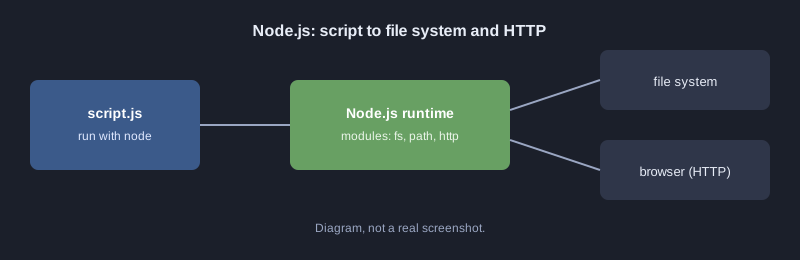
Node.js は、JavaScript をブラウザの外、つまりパソコンやサーバー上で動かす実行環境です。フロントエンドとバックエンドで同じ言語を使えます。Node.js は非ブロッキング I/O を採用しているため、ネットワーク処理や API に向いています。この記事では最初のスクリプトを実行し、標準モジュールでファイルを読み書きし、JSON を返す小さな HTTP サーバーを作ります。
この記事の例はすべて Node.js で実行し、表示した出力は実際のものです。
必要なもの
- Node.js 18 以上(`node --version` で確認)
- VS Code などのテキストエディタ
仕組み
最初のスクリプト
`hello.js` を作り、`node hello.js` で実行します。
console.log("สวัสดี Node.js");
モジュールとファイルの読み書き
Node.js には `fs`(ファイル)や `path`(パス)などの標準モジュールが同梱されています。この例は JSON ファイルを書き出して読み戻します。
const http = require("http");
const path = require("path");
const fs = require("fs");

// โมดูลและฟังก์ชัน
function grade(score) {
  if (score >= 80) return "A";
  if (score >= 70) return "B";
  if (score >= 50) return "C";
  return "F";
}

const students = [
  { name: "สมชาย", score: 85 },
  { name: "สมหญิง", score: 72 },
  { name: "สมศักดิ์", score: 45 },
];

// เขียนไฟล์แล้วอ่านกลับมา
const file = path.join(__dirname, "grades.json");
fs.writeFileSync(file, JSON.stringify(students.map(s => ({ ...s, grade: grade(s.score) })), null, 2));
const data = JSON.parse(fs.readFileSync(file, "utf8"));
console.log("สวัสดี Node.js", data.length, "คน");
console.log(data.map(d => `${d.name}: ${d.grade}`).join("\n"));

// เซิร์ฟเวอร์ HTTP ขนาดเล็ก ตอบ JSON แล้วปิดตัวเองหลังตอบ 1 ครั้ง (สำหรับทดสอบ)
const server = http.createServer((req, res) => {
  res.writeHead(200, { "Content-Type": "application/json; charset=utf-8" });
  res.end(JSON.stringify({ message: "สวัสดีจาก Node.js", count: data.length }));
  server.close();
});
server.listen(3100, () => console.log("server listening on http://localhost:3100"));
実際の出力(スクリプトを実行し、curl で `http://localhost:3100/` にリクエストを送ります):
สวัสดี Node.js 3 คน
สมชาย: A
สมหญิง: B
สมศักดิ์: F
server listening on http://localhost:3100
{"message":"สวัสดีจาก Node.js","count":3}
注目してほしい点:
- `require` はモジュールを読み込み、`__dirname` はスクリプトのあるフォルダを指します。
- `fs.writeFileSync` と `fs.readFileSync` は同期版で、完了まで処理を止めます。小さなスクリプトには良いですが、サーバーでは `fs.promises.readFile` などの非同期版を使います。
- `http.createServer` に渡したコールバックは、リクエストが来るたびに実行されます。
Promise と async/await
非同期でファイルを扱うと、待っている間も他の処理を進められます。この例は `async/await` を使い、コードを順番に読めるようにしています。
const fs = require("fs/promises");

async function main() {
  await fs.writeFile("note.txt", "บันทึกจาก Node.js");
  const text = await fs.readFile("note.txt", "utf8");
  console.log("อ่านได้:", text);
}

main().catch(err => console.error("เกิดข้อผิดพลาด:", err.message));
よくあるミス
- **ポートがすでに使用中:** ポート番号を変えるか、そのポートを使っている別のプログラムを止めます。
- **Promise に `await` を付け忘れる:** 結果ではなく Promise 自体が返ってきます。
- **ES Module のファイルで設定せずに `require` を使う:** `package.json` のモジュール種別を確認します。
- **エラーを処理しない:** `try/catch` や `.catch` を使い、原因を表示させます。
次のステップ
To-do リストを JSON ファイルに保存する API を作り、その後 Node.js の代表的なフレームワークである Express や Fastify に進みましょう。
まとめ
Node.js は JavaScript をサーバー側で動かします。標準モジュールがファイルとネットワークを扱い、async/await により並行処理のコードも読みやすく書けます。